Customers
Operations → Customers — everyone who has ever booked. Needs customer:read; creating and editing needs customer:manage.
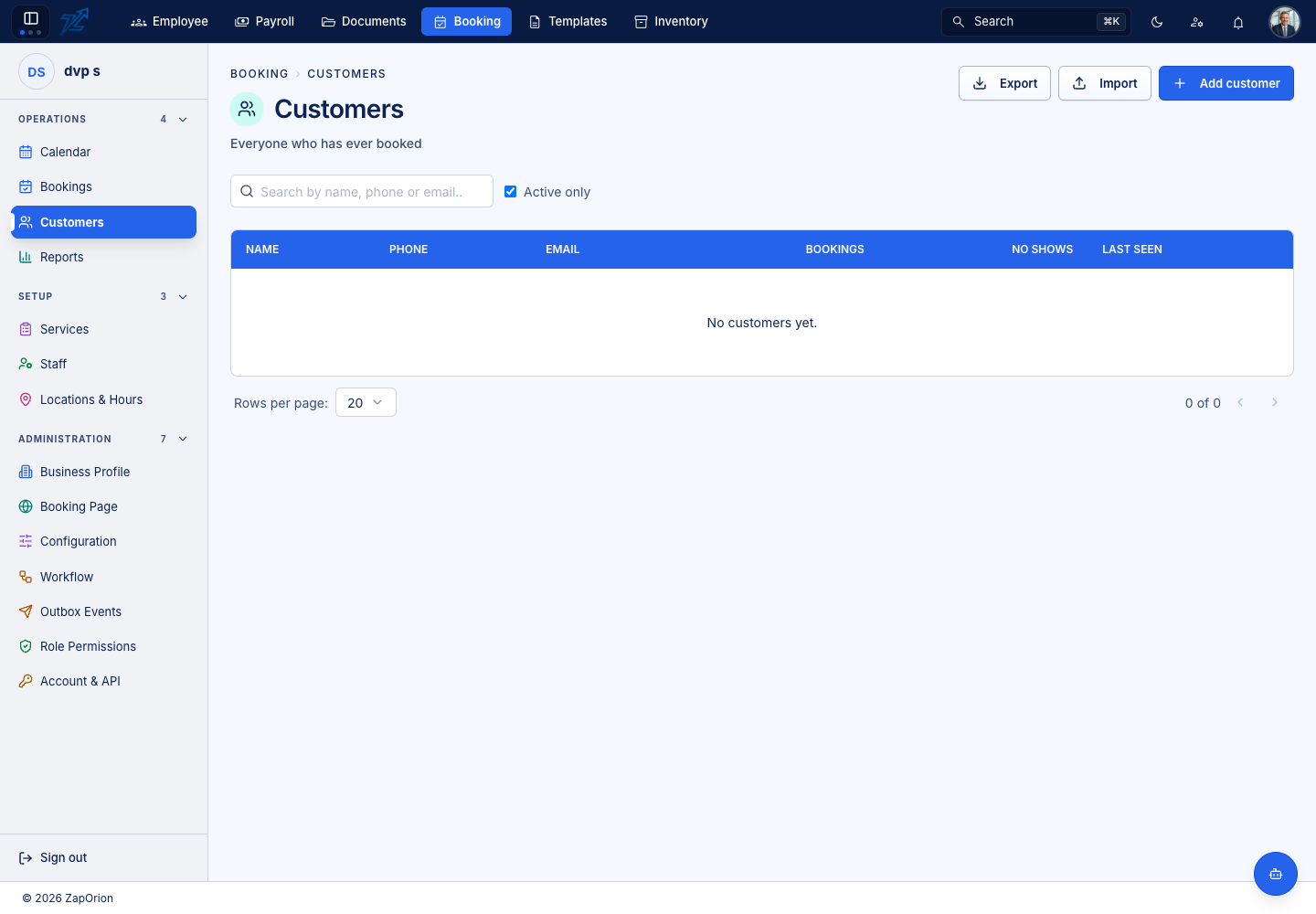
The list shows Name, Phone, Email, Bookings, No shows and Last seen. Active only hides deactivated customers. Export downloads the list, Import creates many customers from a spreadsheet, and Add customer opens the form. A customer's Customer label follows your terminology — a clinic would see Patients.
Adding a customer
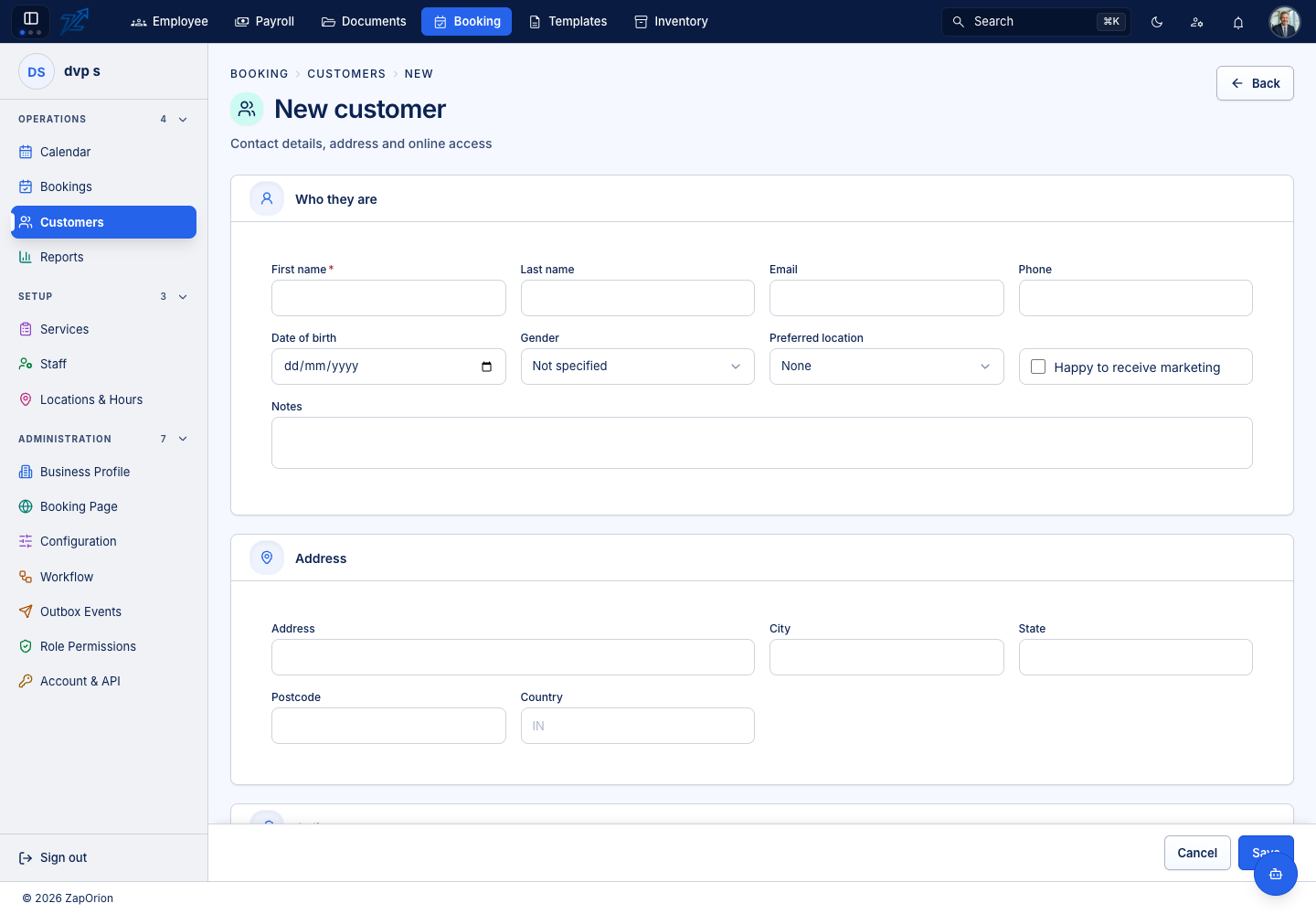
Who they are — first name *, last name, email, phone, date of birth, gender (including Prefer not to say), preferred location, and whether they are Happy to receive marketing, plus notes. Address — address, city, state, postcode and country. Online access — whether the customer may sign in to their own portal to see and change their bookings (when the Customer portal feature is on). Any custom fields defined for customers appear at the end.
Importing customers
Import uses the same four steps as booking import: download the Template, Choose file, Check rows (each row is marked Ready or given its reason), then Import. Nothing is created until you confirm.
A customer's page
Open a customer to see:
- Profile — contact details with one-click copy for email and phone, the address, personal details (date of birth, gender), notes and preferences, and any additional details. Edit profile opens the form.
- Bookings — their booking history with reference, time, status, total and payment, and counts of Bookings and No shows, and when they were Last seen.
- Packages — prepaid bundles they hold, with sessions left, and Sell package to sell one.
- Memberships — plans they are on, and Enrol in membership to enrol them.
- Documents — identity or other documents on file, of the types set up under Document types.
Blocking and deactivating
Block stops a customer booking (for example after repeated no-shows); a reason can be recorded, and Unblock reverses it. Deactivate retires a customer who should no longer appear in lists; Activate brings them back. Both ask for confirmation, and blocked or inactive customers carry a badge.