Roles and access
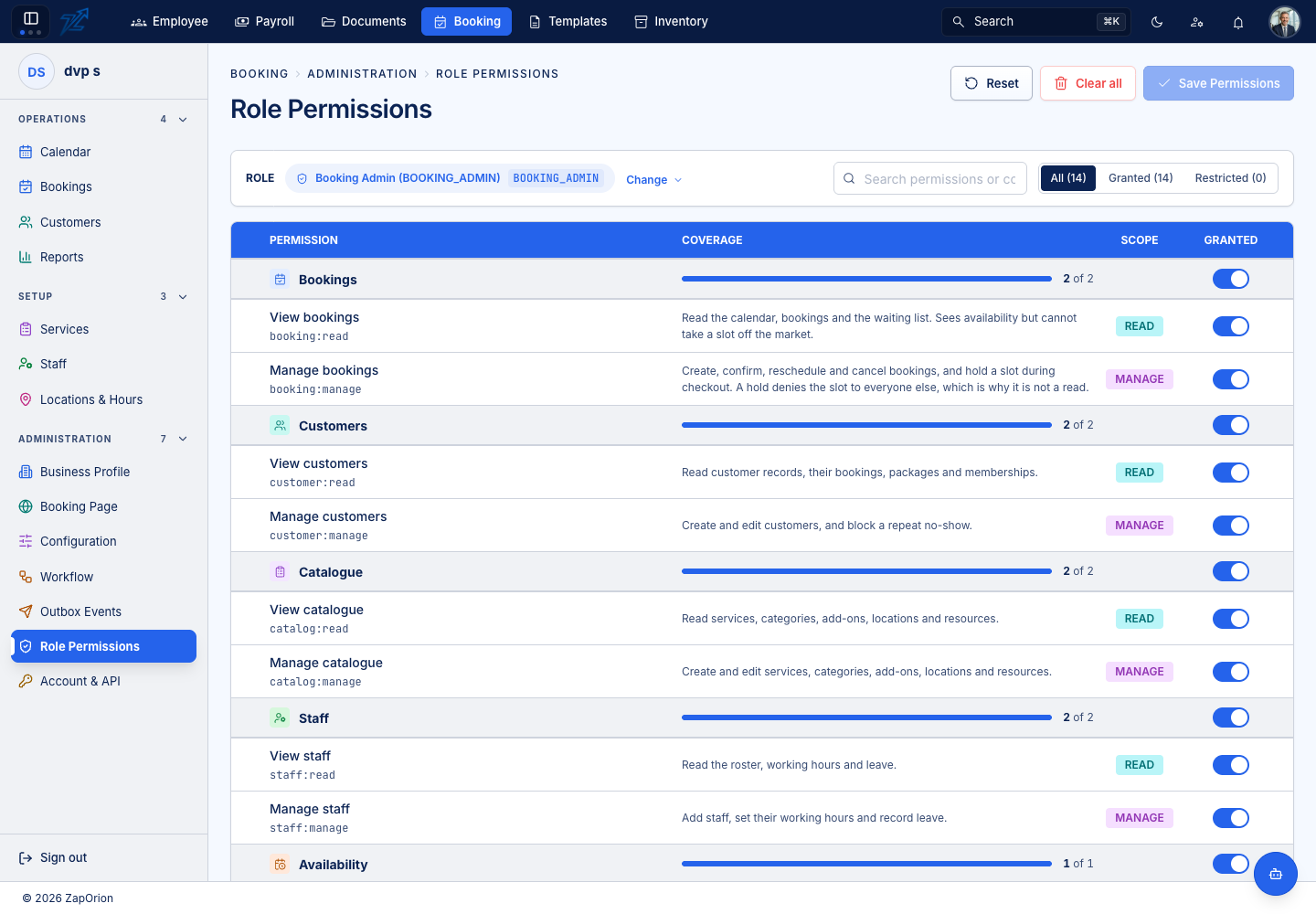
Access in ZapBooking is a set of permissions granted to roles. Roles come from the identity provider (the same sign-in you use for the rest of the application); the mapping from role to permissions is edited on Administration → Role Permissions (see Role permissions).
The four standard roles
A new business starts with four roles:
| Role | What it is for |
|---|---|
Booking Admin (BOOKING_ADMIN) | The owner or manager who configures the business. Holds every permission, including booking:admin. |
Booking Manager (BOOKING_MANAGER) | Day-to-day management of bookings, customers, catalogue, staff, payments and promotions — without booking:admin. |
Front Desk (FRONT_DESK) | Takes, reschedules and cancels bookings, takes payment, reads the catalogue. |
Service Provider (SERVICE_PROVIDER) | Read-only: the calendar, bookings, catalogue, customers and staff. A stylist or instructor can see the diary but cannot rebook other people's customers. |
:::info Service providers read the whole branch diary A Service Provider login is limited by its permissions (read only), but it reads the whole branch's diary — not only that person's own bookings. Per-person scoping of the calendar is not part of the product today. :::
If a person signs in before their role is mapped, they see an empty sidebar rather than an error. Map the role, and the change applies on their next request — nobody has to sign out.
The permissions
| Permission | Lets a person |
|---|---|
booking:read | Read the calendar, bookings and the waiting list. They see availability but cannot take a slot off the market. |
booking:manage | Create, confirm, reschedule and cancel bookings, and hold a slot while a booking is being made. |
booking:admin | Configure the business: features, terminology, booking rules, the status workflow, custom fields, plan, API keys and webhooks. Also moderate reviews. |
catalog:read / catalog:manage | Read, or create and edit, services, categories, add-ons, locations and resources. |
staff:read / staff:manage | Read the roster, working hours and leave; or add staff, set working hours and record leave. |
customer:read / customer:manage | Read customers and their bookings, packages and memberships; or create and edit customers and block a repeat no-show. |
availability:manage | Edit opening hours, schedule rules, exceptions and holidays. |
payment:read / payment:manage | See the payment ledger; or take and refund payments. |
promo:manage | Manage coupons and gift cards. |
report:read | See the reports. |
Taking a slot hold needs booking:manage and not just read, because a hold denies the slot to everyone else while a booking is in progress.