First-time setup
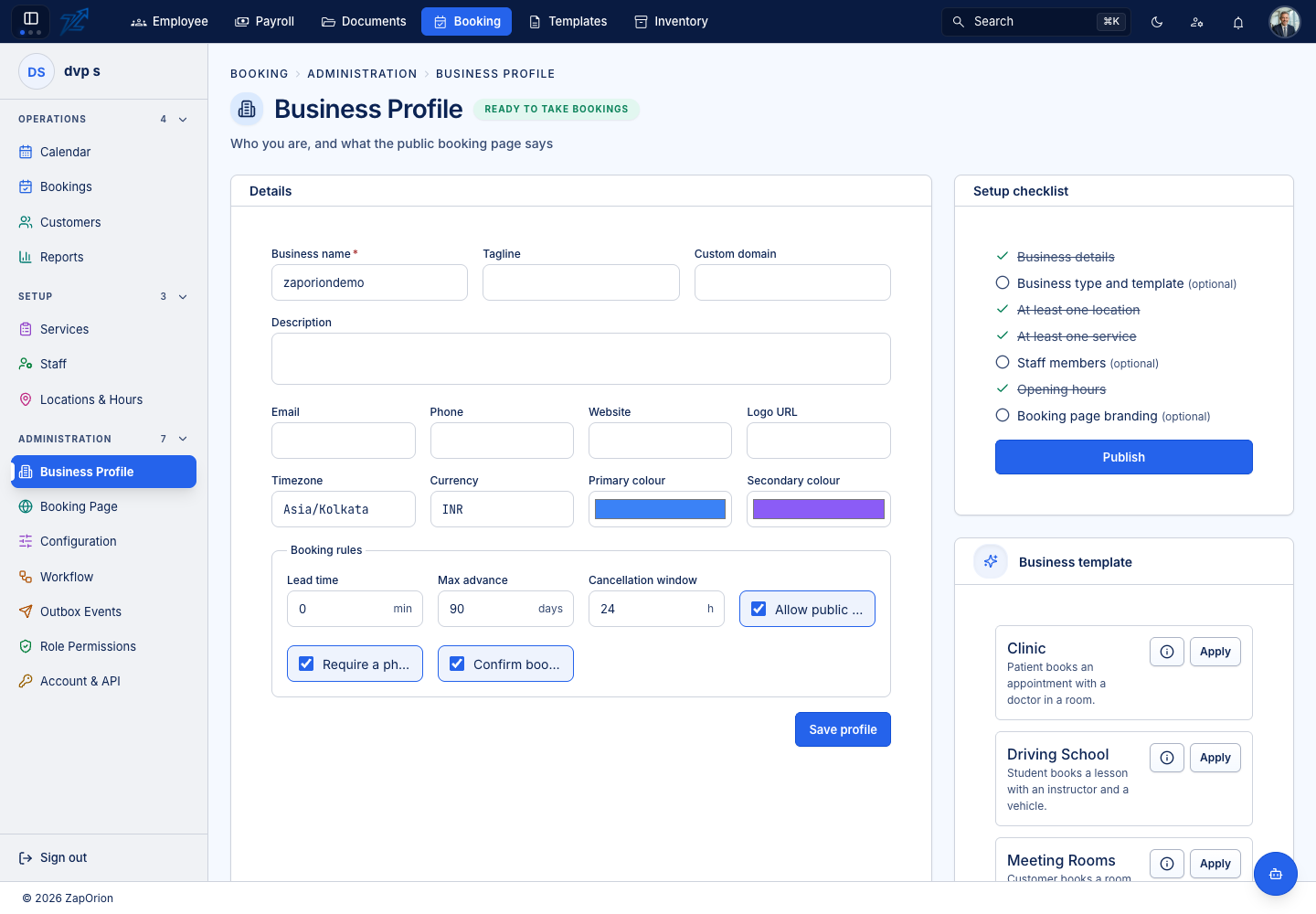
Only three things must exist before a booking can be taken: a location, a service, and opening hours for that location. Staff are not required — a meeting-room business has none. The Setup checklist on Administration → Business Profile shows exactly what is still missing and what is optional.
Recommended order
| Step | Where | Why it comes here |
|---|---|---|
| 1. Map roles | Administration → Role Permissions | Everything else is gated on permissions; do this first so colleagues see what they should. |
| 2. Business profile | Administration → Business Profile | The business name, time zone, currency and the default rules every service inherits. |
| 3. Apply a business template (optional) | Business Profile → Business template | Sets features, terminology and sensible defaults for a salon, clinic, driving school, meeting rooms or training institute. It never creates services, staff or locations. |
| 4. Features | Administration → Configuration → Features | Switch on the capabilities you will use. |
| 5. Locations | Setup → Locations & Hours | Each location has its own time zone, which is the one the engine works in. |
| 6. Opening hours | Setup → Locations & Hours → Opening hours | The outer bound: no staff roster and no rule can open a slot on a day the location is closed. |
| 7. Staff and resources | Setup → Staff, Resources | Who or what is booked, where, and for which services. |
| 8. Services | Setup → Services | What can be booked, how long it takes, what it costs. |
| 9. Optional before going live | Packages, Promotions, Reviews | Prepaid bundles, coupons, and the moderation queue. |
| 10. Publish the booking page | Administration → Booking Page | Only when you want customers to book online. |
Business templates
On Business Profile, the Business template card offers a starting point. Applying one unpacks ordinary feature, terminology and settings rows and is then forgotten — nothing afterwards depends on the template, and the business type is only a label.
| Template | For | Shape |
|---|---|---|
| Salon & Spa | Salons, spas | A stylist at a location; the customer picks the stylist |
| Clinic | Clinics | A doctor in a room; both required |
| Driving School | Driving schools | An instructor plus a vehicle; no location |
| Meeting Rooms | Rooms to hire | A room only, no staff; the customer picks the room |
| Training Institute (Classes) | Scheduled classes | Trainer-led; seats are counted; the institute assigns the trainer |
| Training Institute (Labs) | Labs and equipment | Resource-only: no trainer; the lab is required and the student picks it; payments off |
Applying a template never overwrites what you have already customised unless you explicitly choose to start again from it.
:::tip Mixed businesses An institute that runs both classes and labs applies the class template and then adds lab services that need a resource but no staff member. A service's own settings decide what it needs, whichever template was applied. :::