Business profile
Administration → Business Profile — who you are, and what the public booking page says. Needs booking:admin. A badge beside the title reads Ready to take bookings when the required setup exists.
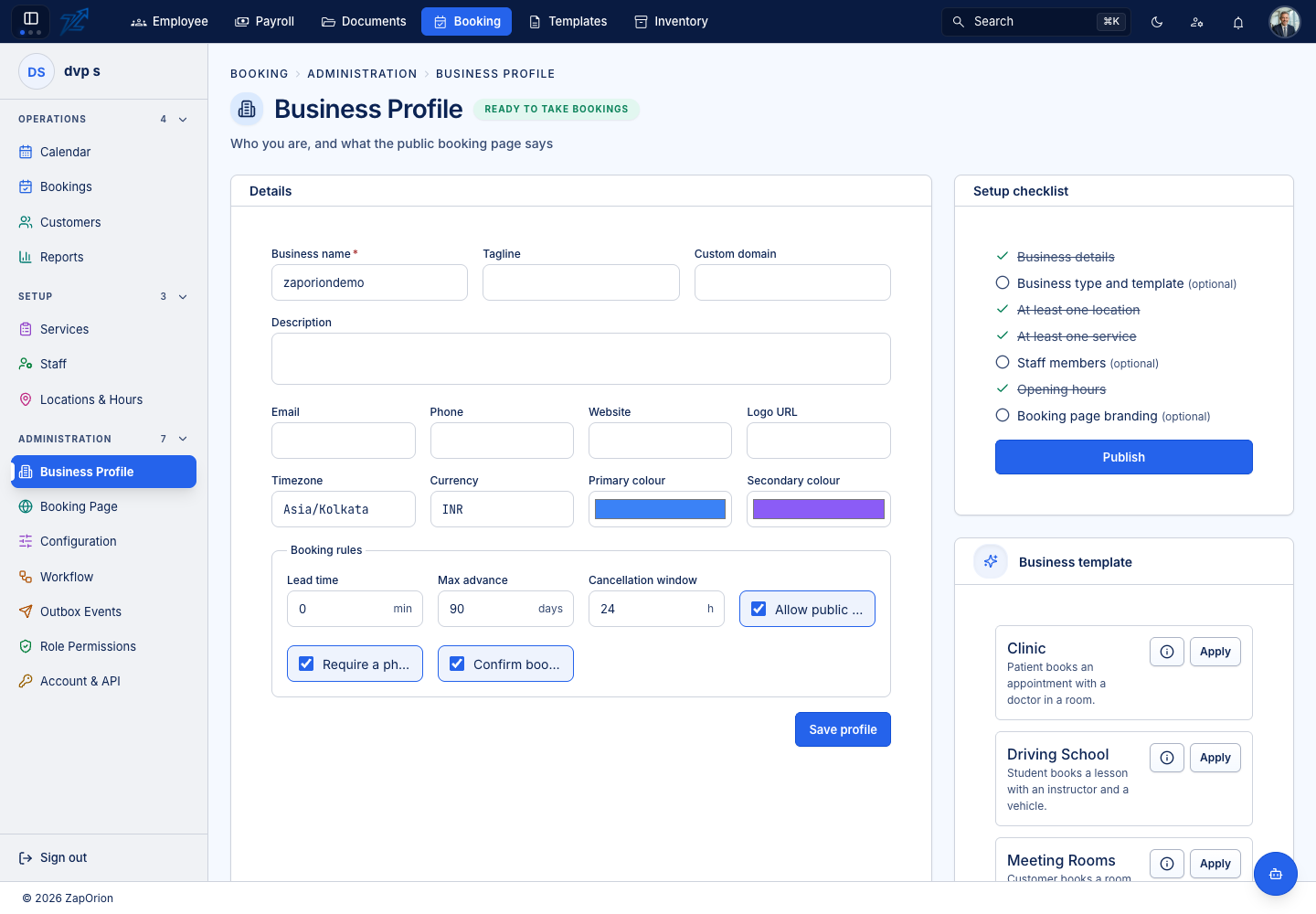
Details
Business name *, tagline, custom domain, description, email, phone, website and logo URL; the Timezone and Currency (defaults only — each location carries its own time zone, and that is the one the engine uses); and the primary and secondary colours used on the public page.
Booking rules
Defaults every service inherits unless it sets its own:
| Field | Meaning |
|---|---|
| Lead time (minutes) | Minimum notice before a booking can start |
| Max advance (days) | How far ahead the diary is open |
| Cancellation window (hours) | The default free-cancellation window |
| Allow public booking | Master switch for the public booking page |
| Require a phone number | Enforced on the booking form |
| Confirm bookings automatically | Off means new bookings arrive as Pending and someone must accept them |
Tax defaults (percentage and whether prices include tax) apply to any service that sets none of its own. Save profile stores the changes.
Setup checklist
The checklist is read from your actual data, not ticked by hand:
- Business details
- Business type and template (optional)
- At least one location
- At least one service
- Staff members (optional)
- Opening hours
- Booking page branding (optional)
Once every required item is done, Publish becomes available. Publishing is refused while anything required is missing — finishing onboarding into an empty booking page is how a trial ends.
Business template
Six ready-made starting points — Clinic, Driving School, Meeting Rooms, Salon & Spa, Training Institute (Classes) and Training Institute (Labs) — each with a one-line description. Apply unpacks it into features, terminology and settings. It never creates services, staff or locations, and by default leaves anything you have already customised alone. See First-time setup.